
JaénYa on your mobile: alerts about what interests you, Telegram and the web as an app
You can follow what's happening in Jaén on Telegram and Facebook. We tell you how to sign up for each one and how to receive alerts on your mobile only about what interests you and how to have JaénYa on your mobile as an app.
Redacción ·
From the capital to Cazorla, from Úbeda and Baeza to Sierra Morena, among olive trees: what happens in Jaén and its province, as soon as it happens.
There are many ways to follow JaénYa, and you don't need to use them all: choose the one you use most on your phone. Here they all are, with their link and how to do it.
Telegram: all the news, as soon as it is published
On the JaénYa channel on Telegram, each news item appears the moment we publish it: the headline, a short summary and the link to read it in full. You get them all and in order, not just the ones a network decides to show you. To join, open the link and tap «Unirse». Here too, nobody sees your number.
Join the JaénYa channel on Telegram (opens outside the portal)
Alerts on your phone, only about what interests you
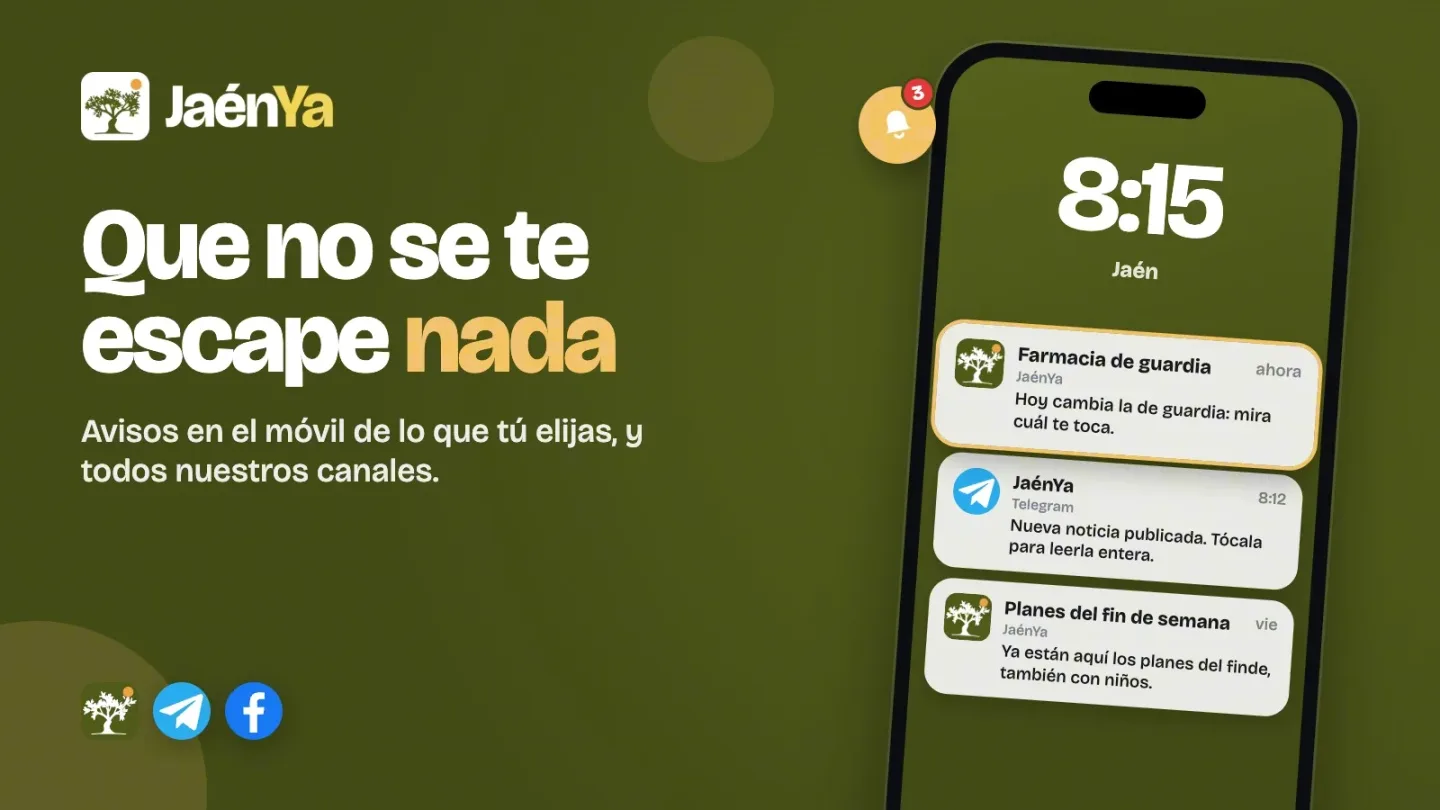
JaénYa can also alert you on your phone, like one more notification, about what you choose and nothing else. You don't need an account or to give your email, and you can turn it off whenever you want. For example:
- The on-duty pharmacy, when it changes.
- AEMET alerts for wind, rain, heat or storms.
- Each morning's weather, in a summary.
- Scheduled power cuts.
- Weekend plans and plans with kids, every Friday.
- New concerts added to the agenda.
- Breaking news, only when something happens that can't wait.
And the news on the topics you choose: politics, incidents, courts, economy and employment, health, education, sports, culture and fiestas.
How to do it: in the section that interests you, tap the «Avísame…» button (in Farmacias, for example), and when the phone asks if you allow it to notify you, tap «Permitir». On the «Mis avisos» page you can see everything you have activated, choose for how long (always, today only, three days, a week or a month) and turn it off. It's in the bell at the top on your phone and at the foot of any page.
On the iPhone there is one step first: alerts only arrive if JaénYa is on the home screen (we explain that just below) and you open it from its icon. iOS 16.4 or later is required. From 23:00 to 8:00 no automatic alerts arrive, except the most serious weather alerts.
JaénYa on your home screen, like an app
Without downloading anything from any store, you can put JaénYa on your phone's home screen: it opens with one tap, without the browser bar, like any other application.
- On the iPhone, with Safari: open jaenya.com, tap «Compartir» and then «Añadir a pantalla de inicio».
- On Android, with Chrome: open jaenya.com, tap the three dots at the top right and then «Instalar» (or «Añadir a pantalla de inicio»).
- On a Samsung: the «≡» menu at the bottom, «Añadir página a» and «Pantalla de inicio».
In our guide you have it step by step, with drawings, for each phone.
On Facebook we publish the day's news and the useful stuff: weekend plans, the weather and employment. Tap «Seguir» and they will start appearing.
JaénYa on Facebook (opens outside the portal)
On Google, JaénYa first
Google lets you choose your preferred outlets so they appear first in the top stories when you search for something. If you mark JaénYa, when you search for something about Jaén you will see ours first. It takes a minute, with your Google account.
Choose JaénYa on Google (opens outside the portal)
And if you use a news reader, our RSS feed is at jaenya.com/rss.
Breaking news from News, on your phone
An alert only when something can't wait. Free, no account needed.
On iPhone, alerts only arrive if you first add JaénYa to your Home Screen. How to do it, step by step
This browser can't receive alerts. Try another one, such as Chrome or Safari.
You've blocked alerts from JaénYa in this browser. You can turn them back on in its settings. How to do it, step by step
Only what can't wait. Change or remove it in my alerts
Shall we let you know what matters?
Phone alerts
On iPhone, alerts only arrive if you first add JaénYa to your Home Screen. How to do it, step by step
This browser can't receive alerts. Try another one, such as Chrome or Safari.
You've blocked alerts from JaénYa in this browser. You can turn them back on in its settings. How to do it, step by step